
Advertisement
Click to download now, finish the installation quickly, and directly unlock the all-round experience
Advertisement
Screenshots





Click to download now, finish the installation quickly, and directly unlock the all-round experience
TechSmith Fuse sends photos and videos from an Android device to TechSmith Snagit, Camtasia, or TechSmith Relay. It suits people who already use those products and want to bring mobile material into a work or editing process, rather than manage photos as a general-purpose gallery.
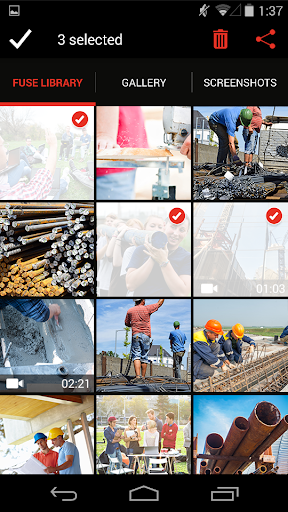
You can choose images and videos already on your device or capture new material in Fuse. The app lets you preview content before sending and transfer multiple items at once. For still images, there’s a drawing tool for adding quick annotations; those images can also be shared through TechSmith Relay.
Fuse connects with computers on a local network, and QR-code pairing is available for connecting a device with multiple computers. Recent Relay content appears in the app’s upload history, so sharing isn’t limited to something you just recorded.
The app’s role is the handoff: get mobile captures into TechSmith software for further use. That makes it most relevant to people who already rely on Snagit, Camtasia, or Relay. If you don’t use those tools, the transfer workflow has less to offer; Fuse is not presented as a replacement for a full editing app.
TechSmith Fuse is published by TechSmith Corporation and has 100,000+ installs. Its rating is 2.72 from 1,510 ratings, a modest score worth weighing against how closely its specific workflow matches your needs. If moving phone captures into TechSmith products is a regular task, the focused feature set may earn a place; otherwise, it may be easy to overlook.